
Anúncios
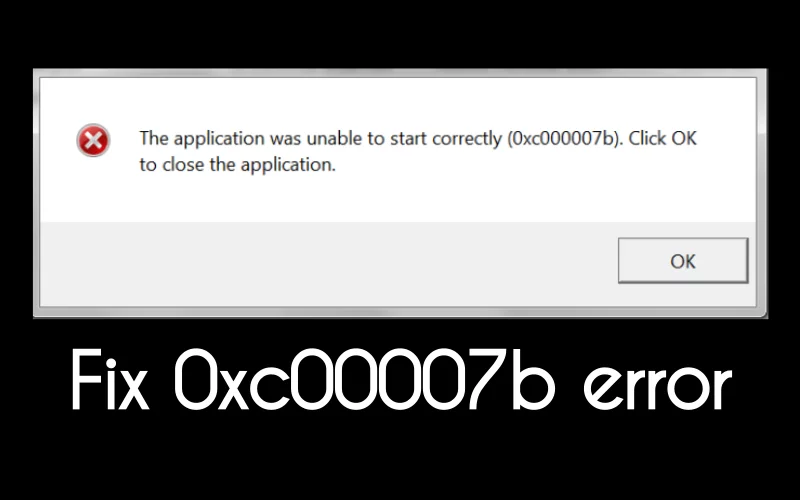
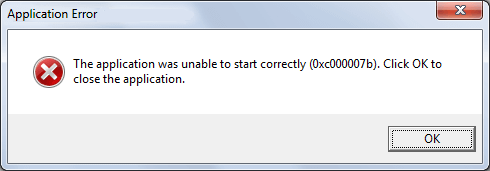
If you’re an avid gamer or enthusiastic software user, you’ve probably encountered the infamous “0xc00007b/0xc000007b” error on your Windows system. This vexing error often rears its head when you excitedly launch a game or a software application, only to be met with disappointment. But fret not! In this comprehensive guide, we’re not just going to show you how to fix this error, but we’ll also delve into the causes, prevention, and additional tips for a smoother computing experience. So, let’s dive in and reclaim your gaming bliss!
Understanding the 0xc00007b Error
Anúncios
Before we embark on our quest to vanquish the 0xc00007b error, let’s shed light on its origins. This error is akin to the riddle of the Sphinx, with various factors contributing to its manifestation:
- 32-bit vs. 64-bit Conundrum: The error often arises when attempting to run a 32-bit software on a 64-bit system, or vice versa, leading to a clash of compatibility.
- System Files in Shambles: Corrupted or missing system files required for the application can trigger this error, leaving you bewildered.
- Administrator Privilege Puzzle: Neglecting administrative privileges while launching software can confound your system and prompt the error.
- The Age Factor: Outdated software or games can send shockwaves through your system, causing compatibility woes.
- The Absentee Component: The absence of essential gaming components, such as DirectX, can send your system into a frenzy, resulting in the error.
Tackling the Error: Solutions Galore
Solution 1: Reboot Your System
The simplest solution is often the most effective. Give your system a fresh start:
Anúncios
- Press “Alt+F4” to unveil the “Shut Down Windows” pop-up.
- Opt for the “Restart” option and hit “OK.”
Solution 2: Enable the .NET Framework Feature
The .NET framework is your system’s guardian angel for a seamless gaming experience. To enable it:
- Embark on a quest for “Windows Features” through the Start menu.
- Uncover the .NET framework treasure, mark both checkboxes, and hit “OK.”
- Download the required files if prompted.
Solution 3: Ascend as an Administrator
Granting administrative privileges can be the key to unlocking software potential:
- Bestow the gift of authority by right-clicking on the program and selecting “Run as administrator.”
Solution 4: The Reinstallation Riddle
When corrupted files plague your system, reinstalling the app or game can be your salvation:
- Vanquish the corrupted by uninstalling the application from the Control Panel, then resurrect it through reinstallation.
Solution 5: The DirectX Quest
A knight in shining armor, DirectX enhances audio and video support for games. To summon it:
- Embark on a journey to the DirectX download link.
- Conquer the download and installation process, emerging victorious.
Unlocking the Treasure Trove: Bonus Tips
- Update, Update, Update: Regularly update your games and software to fend off compatibility conflicts and potential errors.
- Antivirus Alliance: Ensure your antivirus isn’t wreaking havoc by excluding your gaming directories.
- Hardware Harmony: Keep your hardware drivers up to date for a harmonious gaming experience.
- The Magic of Clean Boot: Employ a clean boot to troubleshoot conflicts caused by third-party software.
The Path to Victory: Conclusion
In the realm of computing challenges, the “0xc00007b/0xc000007b” error is a formidable foe. Armed with these solutions and armed with valuable tips, you’re now well-equipped to overcome this error and immerse yourself in uninterrupted gaming and software enjoyment.
FAQs: Navigating the Maze
Q1: What’s the root cause of the “0xc00007b/0xc000007b” error? A: This error arises from conflicts between 32-bit and 64-bit systems, corrupted files, lack of administrative rights, outdated software, or missing components.
Q2: How crucial is enabling the .NET framework? A: The .NET framework lays the foundation for optimal gaming performance by providing essential libraries.
Q3: What’s the quickest way to run a program as an administrator? A: Right-click on the program and choose “Run as administrator.”
Q4: Can a reinstallation remedy corrupted files? A: Absolutely, a fresh reinstallation can sweep away the corruption and restore functionality.
Q5: Why is DirectX significant? A: DirectX enhances audio and video hardware support, critical for seamless gaming.
Q6: Is a system reboot genuinely effective? A: Yes, a system reboot can work magic in resolving various Windows errors.
Q7: How can I ensure I have the latest DirectX version? A: Download and install the latest version directly from the official link.
Q8: Can I update the .NET framework manually? A: Certainly, use the Windows Features program to enable or update the .NET framework.
Q9: When should I seek third-party solutions or assistance? A: While the provided solutions are comprehensive, complex issues may warrant third-party tools or expert intervention.
By following these well-crafted solutions and utilizing the bonus tips, you’re embarking on a journey towards conquering the dreaded 0xc00007b/0xc000007b error. Armed with knowledge, you can now stride confidently into the world of immersive gaming and smooth software experiences.
Also read: How to Fix Your Windows License Will Expire Soon Error
Windows errors similar to the “0xc00007b” error:
- 0x80070002: This error often occurs when Windows Update encounters problems while trying to install updates or when certain system files are missing.
- 0x80004005: Also known as the “Unspecified error,” this code typically appears when there is a file or system corruption issue. It can occur during software installation, file extraction, or even while accessing shared resources.
- 0x80070057: This error is related to incorrect parameter values during various operations, such as formatting a drive, updating Windows, or creating a system image.
- 0x80070570: Often seen during Windows installation or updates, this error indicates that required files are missing, damaged, or inaccessible. It can occur due to faulty hardware, corrupt media, or RAM issues.
- 0x80244022: When Windows Update fails to connect to the update server, you might encounter this error. It’s usually a result of network issues or misconfigured settings.
- 0x80070005: This error occurs when a program or user lacks necessary permissions to perform a specific action, such as installing software, accessing certain files, or modifying system settings.
- 0x80240034: Similar to other Windows Update errors, this code indicates a problem with the update process. It might be caused by corrupted update components or interference from third-party software.
- 0x80070035: Known as the “Network Path Not Found” error, this occurs when you’re unable to access shared network resources due to connectivity issues or misconfigured settings.
- 0x800b0100: Often associated with Windows Update errors, this code appears when the system encounters problems while trying to install specific updates, usually related to missing or corrupted files.
- 0x80096002: This error is related to digital signatures and certificates. It can occur when Windows encounters problems validating certificates for software installation or updates.




1 thought on “How to Fix 0xc00007b/0xc000007b Error on Windows: A Comprehensive Guide”
Comments are closed.