Anúncios
If you’re a Chrome user and have encountered the frustrating Chrome-error://chromewebdata/ error while visiting certain URLs, don’t worry – you’re not alone. This error can manifest for various reasons, including corrupted cache data, outdated browser versions, problematic extensions, or corrupted browser settings. Additionally, you might see the error message NET::ERR_CERT_COMMON_NAME_INVALID displayed. Fortunately, you’ve arrived at the right place. In this comprehensive guide, we’ll walk you through several effective fixes to help you resolve the Chrome-error://chromewebdata/ error.
How to Fix Chromewebdata Issues in Chrome
To tackle the Chrome-error://chromewebdata/ error in Chrome, follow these steps:
Anúncios
1. Clear the Browser Cache
The first and often the simplest step to resolve this error is to clear your browser cache. A corrupted cache can trigger the error, so clearing it might do the trick. Here’s how to do it:
- Launch Google Chrome and click on the three-dot menu in the upper-right corner.
- Navigate to “More tools” and select “Clear browsing data.” Alternatively, press Ctrl + Shift + Del to open the Clear browsing data dialog.
- Choose “All time” as the Time range.
- Select “Cached images and files” and any other checkboxes as needed.
- Click “Clear data” to delete the cache.
- After completing this process, restart Chrome and check if the error persists.
Also read: Best 15 AI Coding Assistant Tools in 2024
Anúncios
2. Update Your Chrome Browser
Outdated browser versions are more prone to errors and issues. If your Chrome browser isn’t up-to-date, it might be the root cause of the error. Follow these steps to update Chrome:
- Open Chrome and click the three-dot menu button.
- Select “About Chrome” from the menu.
- Chrome will scan for available updates and download them if any are found.
- Finally, restart Chrome to complete the update process.
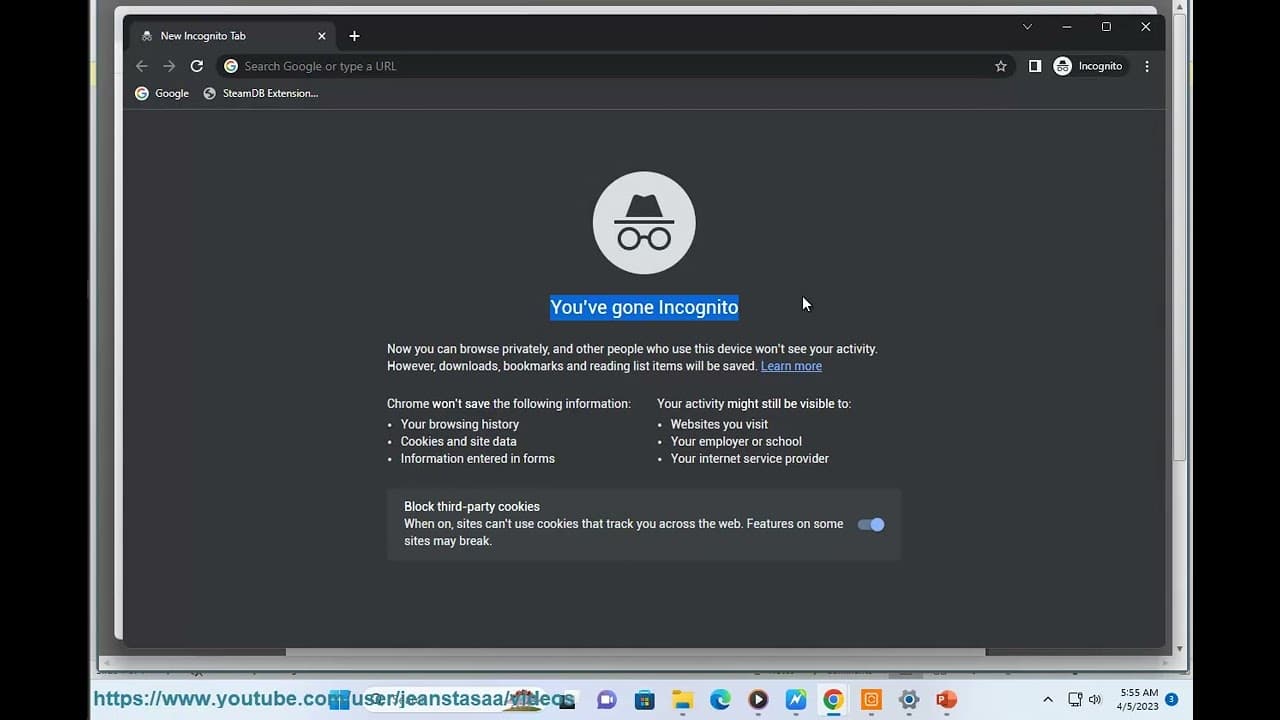
3. Check for Errors in Chrome Safe Mode
Opening Chrome in Safe Mode can help you identify if a problematic extension is causing the error. To do this:
- Click the three-dot menu button in Chrome.
- Select “New Incognito window,” or use the Ctrl+Shift+N shortcut to open an incognito window.
- If the error doesn’t occur in Safe Mode, it’s likely that one of your extensions is the culprit. Consider disabling or removing suspicious extensions.
4. Reset Chrome
Corrupted settings in Chrome can trigger the Chrome-error://chromewebdata/ error. Resetting Chrome to its default settings can often resolve the issue:
- Open Chrome and click the three-dot menu button.
- Select “Settings.”
- Go to the “Reset and clean up” tab on the left-side pane.
- Click “Restore settings to their original defaults” on the right-side pane.
- Press the “Reset settings” button and follow the prompted instructions.
- After completing the process, restart Chrome. Hopefully, the Chrome-error://chromewebdata/ error will no longer bother you.
5. Uninstall and Reinstall Chrome
If none of the above fixes work, your last resort is to reinstall Chrome. The current installation may be corrupted or infected, leading to the error. Here’s how to do it:
- Uninstall Chrome from your computer.
- Install the latest version of Chrome on your PC.
Why Does Chrome Display This Error?
Errors in Google Chrome are a common occurrence. They are often caused by issues such as corrupted or overloaded cache, cookies, and other browsing data. Using an outdated version of Chrome can also result in various errors. Developers regularly release updates to address and fix bugs and issues, so keeping your Chrome browser up-to-date is essential. Additionally, corrupted settings or installations can contribute to this error.
Also read: How to Convert SWF to MP4 Using the VLC Media Player
By following the steps outlined above, you should be able to resolve the Chrome-error://chromewebdata/ error and enjoy a smoother browsing experience.
Frequently Asked Questions
1. What is the Chrome-error://chromewebdata/ error? The Chrome-error://chromewebdata/ error is a common issue that Chrome users encounter while visiting certain websites. It can occur due to corrupted cache data, outdated browser versions, problematic extensions, or corrupted browser settings.
2. How can I clear the browser cache in Chrome? To clear the browser cache in Chrome, follow these steps:
- Click on the three-dot menu in the upper-right corner.
- Go to “More tools” and select “Clear browsing data.”
- Choose “All time” as the Time range.
- Select “Cached images and files” and any other checkboxes as needed.
- Click “Clear data” to delete the cache.
3. Why is it important to update Chrome regularly? Updating Chrome is crucial to ensure you have the latest security patches and bug fixes. Using an outdated version of Chrome can lead to various errors and security vulnerabilities.
4. How can I identify problematic extensions in Chrome? You can identify problematic extensions in Chrome by opening Chrome in Safe Mode (Incognito mode) and checking if the error still occurs. If it doesn’t, one of your extensions may be causing the issue.
5. What should I do if none of the fixes work? If none of the fixes mentioned in this guide work, your last option is to uninstall Chrome from your computer and then reinstall the latest version from the official website.
6. How can I prevent future errors in Chrome? To prevent future errors in Chrome, keep your browser up-to-date, regularly clear your cache and browsing data, and be cautious when installing extensions.
7. Is the Chrome-error://chromewebdata/ error related to website security? The error message NET::ERR_CERT_COMMON_NAME_INVALID associated with the Chrome-error://chromewebdata/ error suggests a problem with the website’s SSL certificate. It’s important to ensure that websites you visit have valid SSL certificates to protect your data.
8. Can I fix the error without resetting Chrome? While resetting Chrome is a recommended solution, you can try the other fixes first. Resetting should only be done if the error persists after trying other troubleshooting steps.
9. Is the Chrome-error://chromewebdata/ error a common issue? Yes, the Chrome-error://chromewebdata/ error is relatively common among Chrome users. It can be resolved by following the steps outlined in this guide.
10. What should I do if I encounter other Chrome errors? If you encounter other Chrome errors, it’s advisable to search for specific solutions online or consult the Chrome Help Center for guidance.