
Anúncios
Microsoft’s Windows Media Center had been there for quite a while. Ever since it was first introduced in the year 2002. This media center has truly been like a friend for most early Windows early users. If you are a Windows user from the early twenty’s then it is most obvious that you have come across this awesome piece of application at least once in your life. This media center was one whole package where you could record digital video and play media. However, sadly the Windows Media Center is no more within us. Ever since the new release of Windows 10 version, the software has been discontinued. Thus, if you have a new Windows 10 system then it is certain that you wont find this application anywhere in your system. Although, if you are still running previous versions of Windows like Windows Home Premium, Ultimate, Vista, 7, 8 AND 8. Then you can still use this app without any much difficulties.
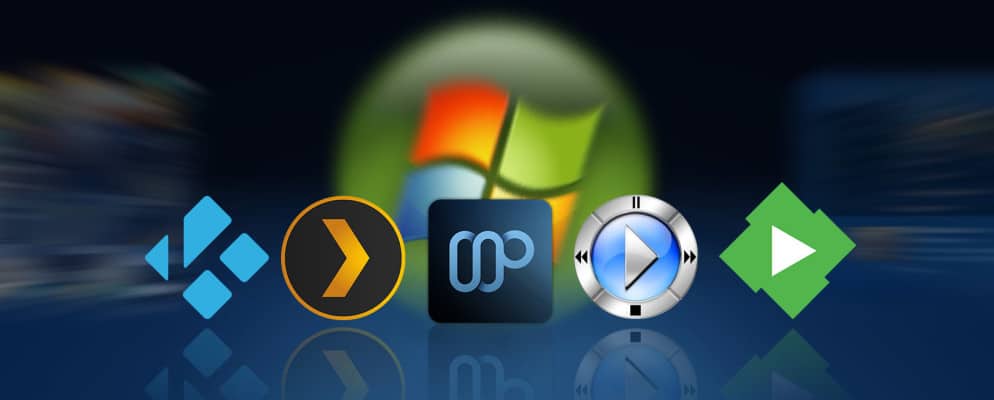
Even though the Windows Media Center application had been quite dear to most Windows user, the time has finally come where we need to let it go now. There are many media center applications in the market today and each one is climbing the competition to beat the other. And thus in this article I ll be listing out the top 5 Windows Media Center alternatives which I am sure will help fill the gap left by Windows Media Center.
Anúncios
The top 5 Windows Media Center Alternatives
KODI
On the very first spot in our list we have the KODI app. Previously known by the name XBMC, this app has made quite a reputation in the world of entertainment and media software. What ever device or hardware you are running, there is very little chance that this app will not do its job there. This piece of software is made to run in almost any device to be honest and also play any kind of media files available there. Hence, making it just one perfect Media Center app you can lay your hands on. You can easily run this application on any platform, be it Windows, Linux, Android, MacOS and even iOS devices like iPhones and iPads. And the best part about this app is the ability to modify it according to your taste. The KODI app comes with a huge selection of Ad-ons which make it really easy for the user to customize and modify it the way they like it. With the help of ad-ons you can stream your favorite movies, TV shows, play and broadcast music, record live TV streams and much more. This is one complete media package you just cannot miss.
The other thing that will make you instantly fall in love with this app is its interface. The interface truly is easy as it can get and at the same time sleek and sexy. And suppose you are don’t like the background or interface, you even have the ability to customize it according to your needs and choice.
Anúncios
VLC Player
The VLC media player has been there for quite sometime now. If you have been using Windows Media player all your life than there sure must have been times when you looked up for the VLC media player to play those files which would not support or run on your Windows Media Player. In such cases the VLC Media player had always been there for the rescue. Although the application had and still has a pretty simple and plain look, you just cannot argue the fact that it was just the ideal player who was there to save your ass by playing that one video file that would not be supported in any other media centers. Hence, when it comes to functionality this app has been quite a player. Moreover, it is an open ware software so the chance of having to pay anything for its service is just something which is not happening any time soon. Like our previous KODI player, the VLC player too is compatible with almost all kinds of Operating Systems like Windows, Android, Linux, MacOS and iOS. Thus, making at an ideal selection for those who do not want such a heavy app but can do with simple looks and more functionality.
The app can also be used for a number of other applications like multimedia file conversion, perform functions like cropping and application of filters on a video or audio to turn it into the way you want. You can also subscribe to various online pod-casts or simply listen to the radio online.
PLEX
When we talk about online media streaming. Then this is one media content application which you can blindly rely on to give you the best experience. PLEX is one of the few best media center apps which lets you to stream for quality content online for free. You need not pay a single penny to enjoy your favorite movies and videos online. There is no need of any subscription, hence making it more simpler for users to get access to their favorite content without having to give up anything at all. The other great thing that is great about this app is the ability to organize files and media according to the way you want. Moreover, it can run on almost any platforms like Windows OS, MacOS, Roku, Linux and even can run on Playstations devices. Hence, the app is truly one of the best FREE media centers you will find out there. Although one slight drawback that is there, is that you do not have any option of recording live TV on this app. But, apart from that, this app is something worth keeping if you like an organized media library and a place to find the best contents from across the world.
KM Player
Like the VLC Player media center, the KM Player too has been there making rounds for quite some time now. I would call it one of the best Windows Media Center alternative as well as a VLC Player alternative too. If you need a cool and attractive looking VLC player with most of its features and non of its simple and pale looks. Then this is the perfect choice to go with. In fact, if you are not a very big fan of VLC due to its simple looks but stuck with it because of its functionality and supported video formats. Then I can come up with no other better alternative giving you the same features and functionality along with a sleek look than the very user-friendly and better looking KM Player. This app also lets you try a number of unique effects that you can add to videos like contrast, saturation, hue, etc. Also, like the VLC Player app, the KM Player too is supported and can run on almost all popular platforms like Windows OS, MacOS, Android and iOS.
The KM Player is regularly upgraded and updated from time to time to come up with new features every day and also cope up with the ever-changing video technology. And due to this reason, The KM Player is one of the very few apps which supports and lets you enjoy 3D-video content without having the need to install any external hard-wares or soft-wares. Not only that but there are lots of other things you will get out of this one app like the ability to play and watch 4K and Ultra HD videos. All these features and new changes that the KM Player brings into the table makes it the very best media player app if not media center app out of all the other top 5, according to me.
5K Player
This player although new in the media center world, has still been able to pull of quite a stunt. As the name itself suggest, this player is able to play and support videos with a resolution of 3840 X 2160 res which without doubt is the best video quality you can ask for out of a player at this age of time. The player is currently compatible with Windows and Mac OS and is presently not available for other OS platforms like Android and iOS. Although, many might think of it as a flaw, still honestly speaking, playing a 4K or 8K UHD video on your android or iOS device is not actually a very good option to go for anyways. Apart from all that the 5k Player app comes with one more unique feature which lets you download your favorite videos from popular social media sites like YouTube, Vimeo, Vevo and DailyMotion at just the push of a button. Looking at all this I hence believe that the 5K Player media center has a long future ahead, if it keeps on providing new features and functions like this.
CONCLUSION
Simply put it, choosing a good Media center is not really a very difficult task. I would advise you to give each one a try until you find the perfect one for you. Also, each one comes with its own set of unique features and functions different from the other. Thus, you have the freedom to and option to choose and go with anyone according to the needs you might have.









